![TAI_LOGO_CMYK Option 1.2-03.jpg]](https://learn.tai-software.com/hs-fs/hubfs/TAI_LOGO_CMYK%20Option%201.2-03.jpg?height=40&name=TAI_LOGO_CMYK%20Option%201.2-03.jpg)
.png?width=670&height=530&name=Generated%20image%201%20(2).png)
Accesorial Pricing on the Organization Level
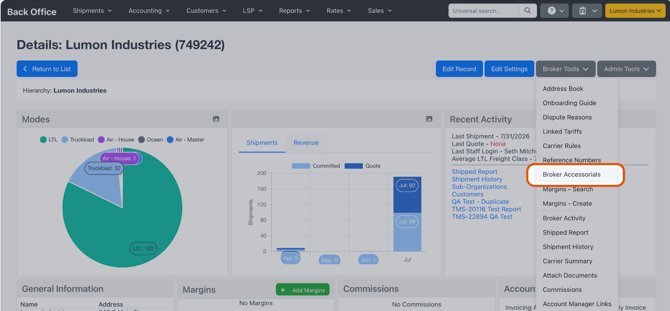
Brokers who spot-quote linehaul but still rely on contracted accessorial and fuel schedules can set standard accessorial pricing once and apply it directly to a shipment.
- Manage accessorials outside tariffs — New Broker Accessorials page under Broker Tools and Customer Accessorials page under Customer Tools, laid out like the existing Tariff Accessorial add/edit screen.
- Apply from the pricing calculator — On the Shipment Edit Pricing page, the calculator dropdown now lists Organization Accessorials and Customer Accessorials alongside existing calculation methods.
- Spot update only — The selected accessorial applies to just the chosen charge line and side (Buy or Sell), without changing the rest of the shipment's pricing.
Save Views In Shipment Search
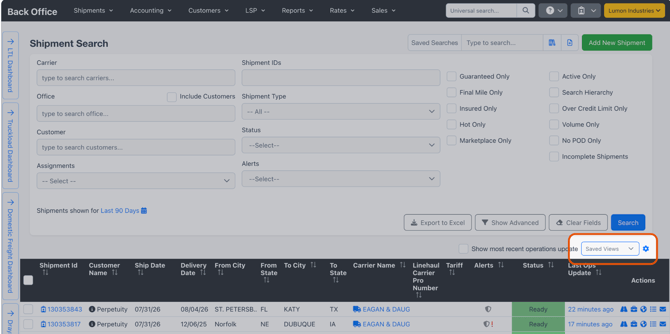
If you juggle different workflows, you can now save named column layouts and switch between them in one click — no re-picking columns every time, and no full-page reload.
- New Saved View picker in the shipment search toolbar — pick a view and the grid columns swap in place, no page reload.
- Attach a Saved View to a Saved Search: the saved-search save/edit flow gains a "View" dropdown, so picking a search like "My Hot Loads" restores both filters and columns.
Shipment Stop Alerts
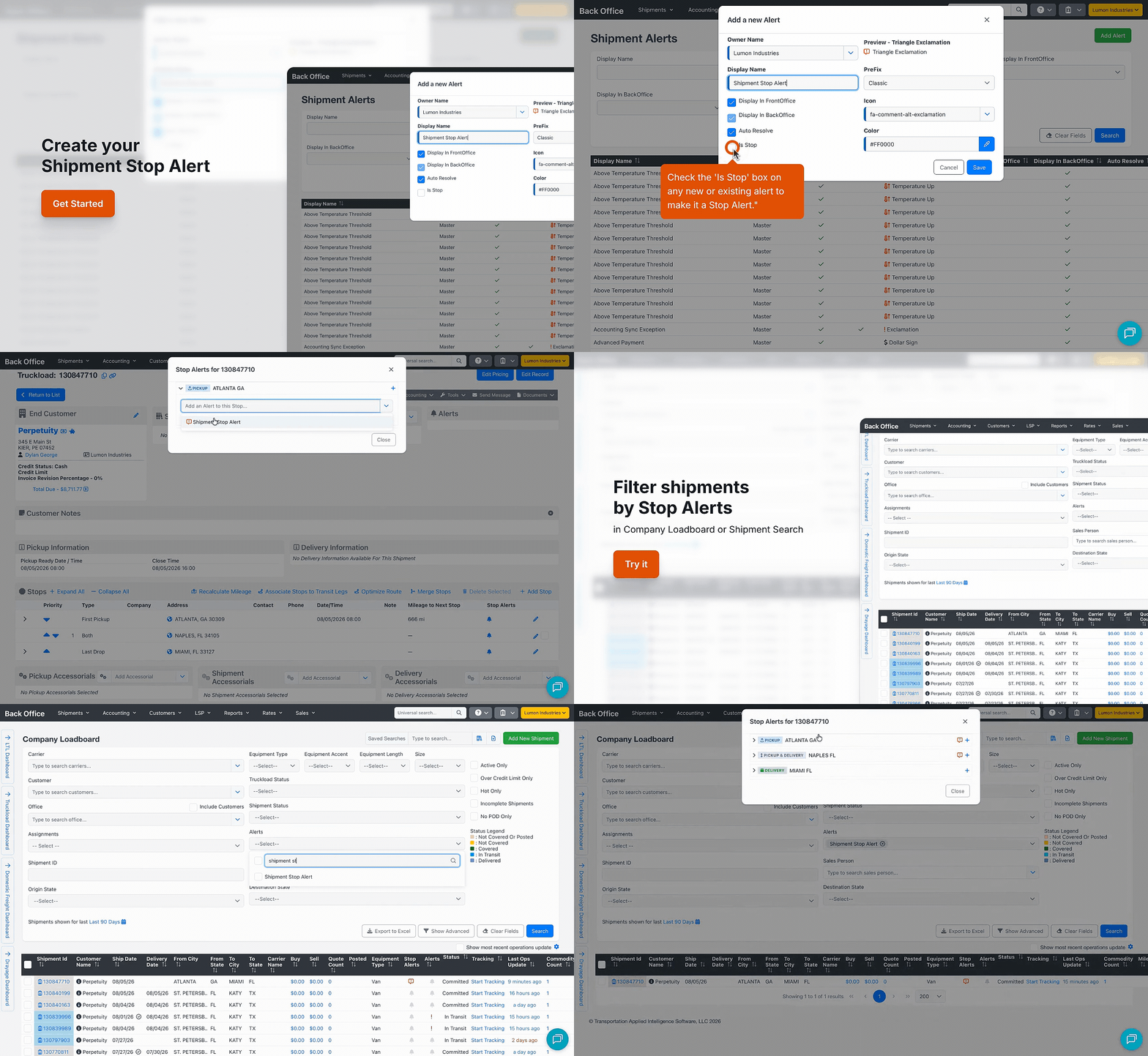
Alerts can now be scoped to an individual stop…
- See them on the shipment — in the Stops section on the Shipment Detail page, you can add/resolve them.
- Filter and find them fast — alerts column and filter on Shipment Search and Company Loadboard.
- Automate on stop events — triggers on add/resolve, a stop-type filter, and Add / Resolve Stop Alert and Advance to Next Stop actions.
- Report on them — Active/Resolved columns in Custom Reports.
Email Your Customer's Invoice Contacts Automatically
.gif?width=670&height=370&name=08_19%20Select%20an%20Invoice%20Recipient%20for%20Automated%20Emails%20(3).gif)
Send invoices and AR notices to the right people every time — no extra setup. The Workflow Automation Send Email action now includes an Invoice Recipient type, so any automated email can reach a customer's invoice / AR contacts directly.
Name Your Custom Report Files
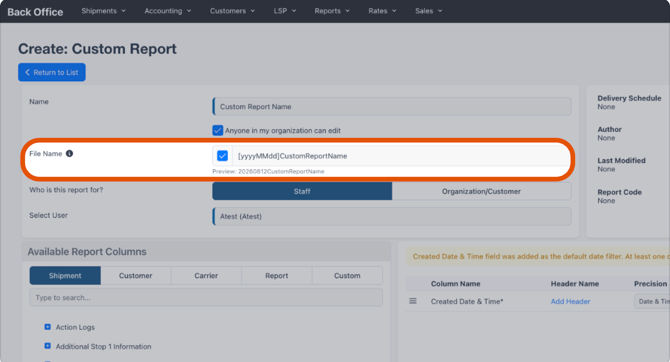
When a scheduled report lands in an inbox or an FTP folder, a clear file name means the recipient knows exactly what it is
- Set a custom file name right in the report — In the Custom Report editor, enable the File Name field. It pre-fills an editable default and shows a live Preview that updates as you type.
- Applies to every delivery — The name you set is used when the report is exported and when it's sent on a Delivery Schedule, by Email or FTP/SFTP, in any format (CSV, HTML, Excel, JSON).
- Easy to recognize and archive — Recipients can identify, sort, and file reports at a glance.
Automatically Act on Alerts That Go Stale
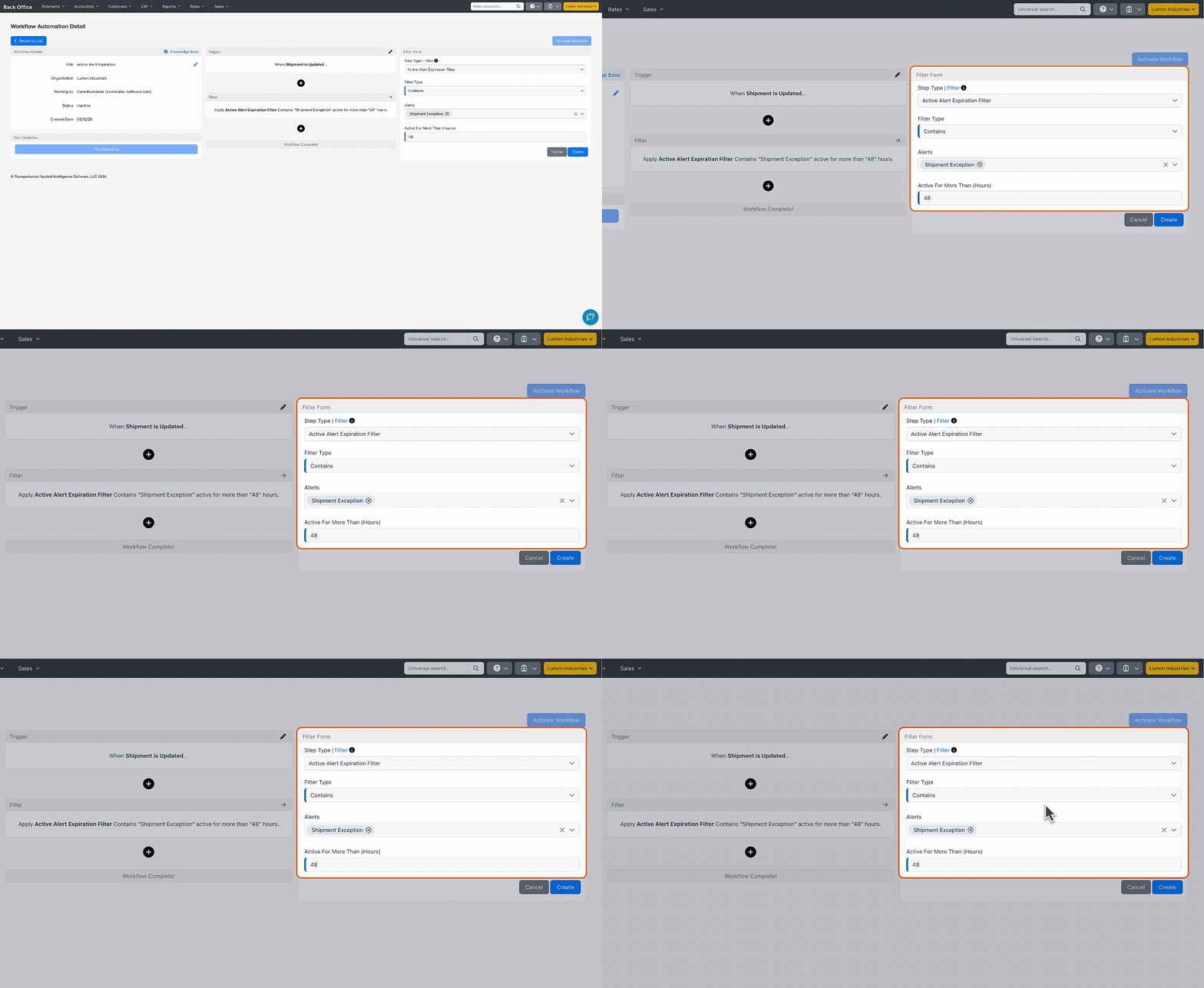
An alert that sits unresolved for hours quietly can lose its value. This new Workflow Automation filter lets your automations catch stale alerts and act before they fall through the cracks.
- New filter: Active Alert Expiration — Fires when a shipment has an unresolved alert that's been active longer than the number of hours you set.
- Target the alerts that matter — Choose Contains or Does not contain, then select one or more alerts; the list includes both built-in alert types and the custom alerts defined for your organization.
- Only counts what's still open — Resolved alerts are ignored, so automations only fire on alerts that are genuinely still active.
Build Automations Around Number of Stops
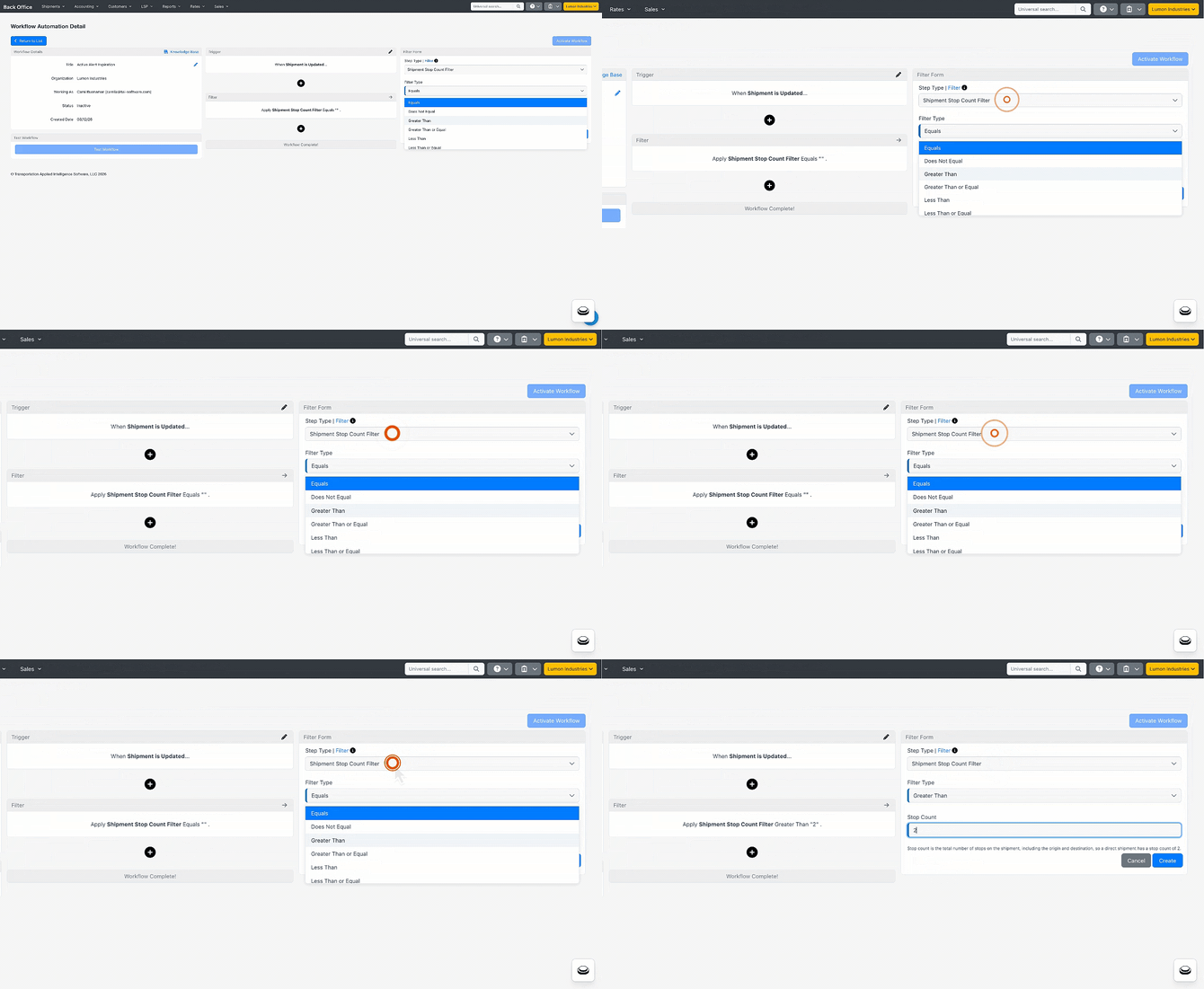
Multi-stop and single-stop shipments often need to be handled differently. A new Workflow Automation filter lets automations branch on how many stops a shipment has.
- New Workflow Automation filter: Shipment Stop Count — the total number of stops on the shipment.
- Supports: Equal To, Not Equal To, Greater Than, Greater Than or Equal To, Less Than, and Less Than or Equal To.
See the Miles Between Every Stop, Right on the Shipment
.gif?width=670&height=382&name=%F0%9F%8C%BB%2009_01%20See%20the%20Miles%20Between%20Every%20Stop%2c%20Right%20on%20the%20Shipment%20(1).gif)
Tai now stores leg-by-leg mileage on each stop, so you can set realistic appointment times and sell the load to a carrier with real numbers — "pick up here, 150 miles to the next pickup, then 1,000 miles to delivery."
- A "Mileage to Next Stop" value on every stop — Shows on the Stops panel and the Edit Stop modal of the Shipment Details page. The value is static: it's stored when the shipment is created and doesn't move with tracking, the driver, or ETAs.
- See it everywhere you work — Add it as a customizable column on the Company Loadboard (which shows the leg currently being driven), open the Shipment Stops modal from the Loadboard or Shipment Search to read every leg at once, and find it on the check-call Stop Card, in Custom Reports (Shipment Stops), and as a document/email system tag.
- Recalculate after you change the route — Mileage is calculated automatically when a shipment is created or duplicated, you can also click the Recalculate icon on the Stops panel to refresh every leg.
- Mileage source — Uses your PCMiler integration when configured (default); otherwise it falls back to a ZIP-to-ZIP estimate, which reads lower than true driving miles. Controlled by the EnableStopMileage setting under LSP > Integration Sources.
Heads Up: v1 Public API Endpoints Being Deprecated on September 1st
Several v1 API endpoints have been deprecated and will soon return a Not Found response. If any internal integrations or workflows rely on these, now is the time to move to the v2 APIs.
Affected endpoints:
- /customer/verifyauthentication
- /marketplace/setShipmentStatus/Booked
- /shipping/shipmentStatus
- /shipping/setShipmentStatus/Canceled
- /shipping/setShipmentStatus/Delivered
- /shipping/setShipmentStatus/PickedUp
- /shipping/setShipmentStatus/Booked
- /shipping/customdocumentuploader
- /shipping/bookDomesticShipment