![TAI_LOGO_CMYK Option 1.2-03.jpg]](https://learn.tai-software.com/hs-fs/hubfs/TAI_LOGO_CMYK%20Option%201.2-03.jpg?height=40&name=TAI_LOGO_CMYK%20Option%201.2-03.jpg)


Rate Confirmation secured through Highway’s Secure Rate Confirmation (SRC) access control mechanism.
Email-based rate confirmations create unnecessary exposure to freight fraud.
-
Reduce the risk of intercepted or compromised rate confirmations.
-
Provide clear audit trails for rate confirmation activity.
-
Strengthen security without changing broker workflows.
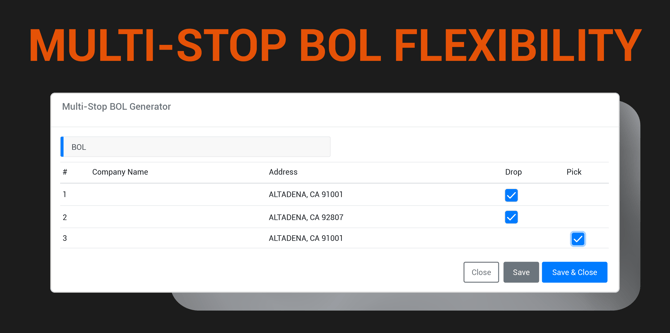
Generate stop-specific BOLs so each receiver only sees their portion of the shipment.
Multi-stop shipments can expose sensitive customer relationships when all stops appear on the same BOL.
-
Generate separate BOLs for each pickup and delivery location.
-
Protect shipper and customer confidentiality across shared routes.
-
Ensure each receiver only sees the information relevant to their shipment.
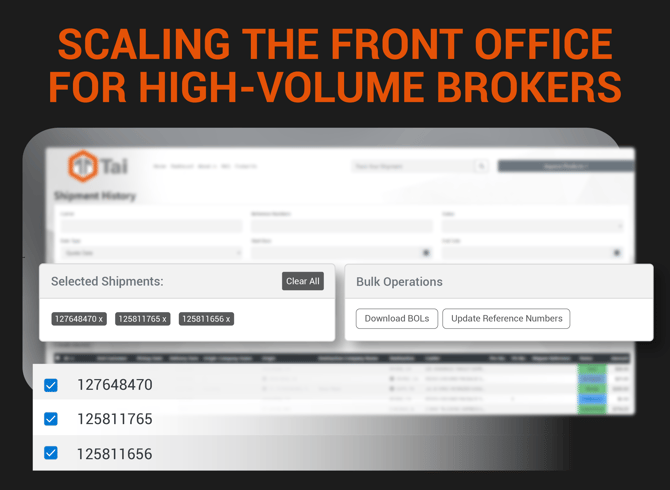
Enable brokers to support high-volume shippers without slowing down daily operations.
As shipment volume increases, one-by-one actions become operational bottlenecks.
Perform bulk actions across quotes and shipments:
-
Update Shipment Status
-
Merge Shipments
-
Update Reference Numbers
- Update Pickup/Close Date
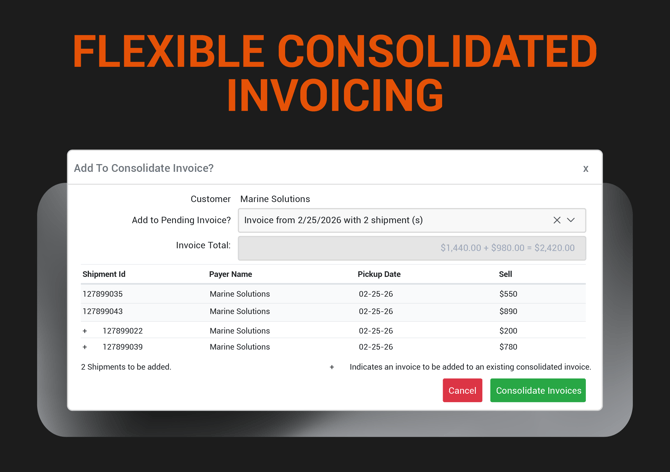
Give finance teams control over large customer invoices.
Avoid rework by iterating on existing consolidated invoices.
-
Reduce reconciliation effort across large shipment sets.
-
Finalize once to produce a complete, auditable invoice package.
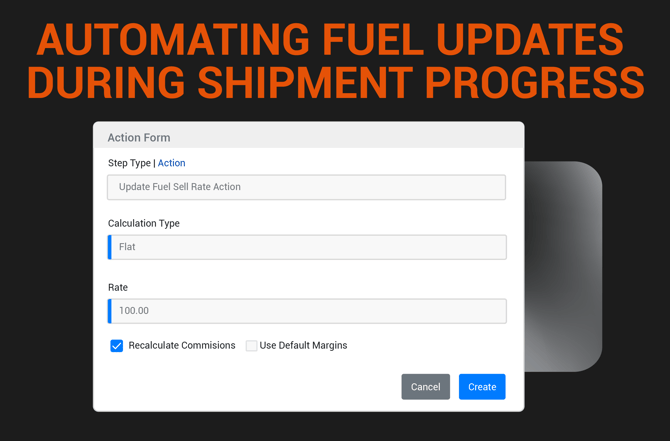
Automatically update fuel costs when key shipment events occur.
Fuel charges are often finalized after a carrier is confirmed, creating manual follow-up work and inconsistent shipment financials.
-
Automatically apply fuel updates using Workflow Automation triggers.
-
Keep cost and margin calculations accurate as shipments progress.
-
Reduce manual adjustments and operational follow-up work.
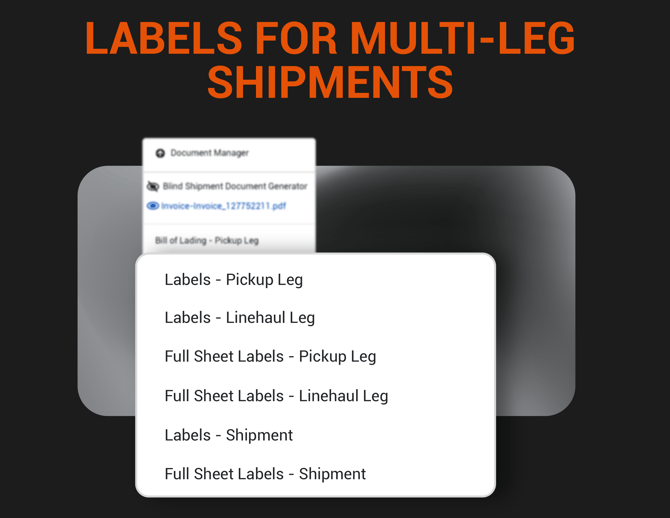
Reflect the leg data on label documents to better manage commodities on shipments
Multi-leg shipments require documents that clearly match each segment of the move.
-
Generate separate Label and Full Sheet documents per transit leg.
-
Scope pickup and delivery tags to the stops associated with that leg.
-
Enable leg-specific documents within Workflow Automation.
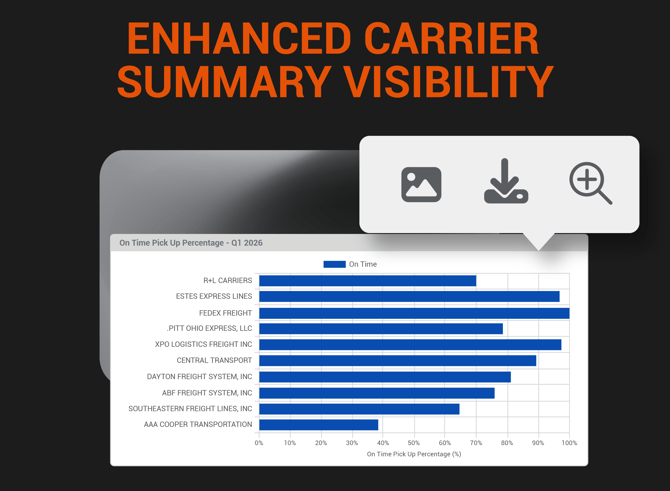
Make data-driven decisions based on carrier data for focused analysis and reporting.
Make carrier performance data easier to analyze and export without overwhelming the report view.
-
Expand individual cards to view more detailed results.
-
Export up to 10,000 carriers for deeper external analysis.
-
Download the graph as an image for reports and presentations.

Increase customer clarity by showing how fuel charges are calculated.
Make fuel surcharges self-explanatory on every invoice to gain your customers' trust.
• Display fuel sell percentage alongside applicable charge lines.
• Enable conditional invoice logic using the IF engine.
• Improve transparency and reduce customer reconciliation questions.
System Tags
-
INVOICE_DETAIL.IS_FUEL_CHARGELINE
INVOICE_DETAIL.FUEL_SELL_PERCENTAGE