![TAI_LOGO_CMYK Option 1.2-03.jpg]](https://learn.tai-software.com/hs-fs/hubfs/TAI_LOGO_CMYK%20Option%201.2-03.jpg?height=40&name=TAI_LOGO_CMYK%20Option%201.2-03.jpg)
Who can access the report?
Access to the Carrier Summary Report is restricted to users with the CommissionsAdmin role. This report contains sensitive financial data, such as revenue and margin, so it is intentionally limited to a smaller, authorized group.
If access is needed, it must be granted by assigning the appropriate role.
How to Access the Report
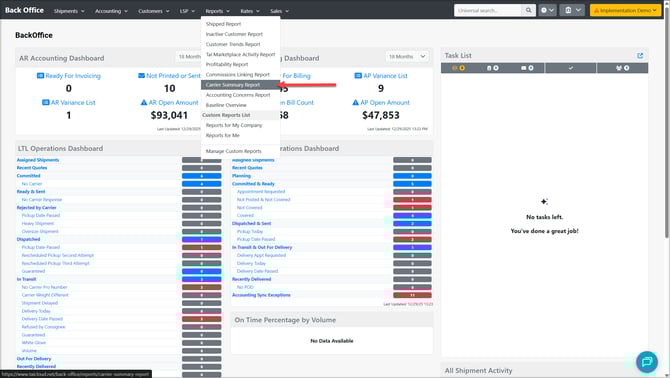
From the Reports tab, locate and open the Carrier Summary report.
Search and Filters
Use the filters at the top of the page to narrow down the data displayed in the charts.

Search By
Select how you want to search:
-
Organization – View carriers associated with a specific organization
-
Customer – View carriers used by a specific customer
-
Carrier – View data for one or more specific carriers
Search Field
Enter the name of the organization, customer, or carrier based on the selected search type.
Date Type
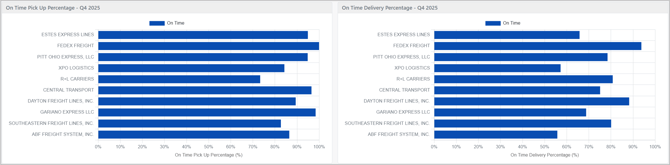
Choose the reporting period for the data (for example, Q4 2025).
All charts update automatically based on the selected time range
Performance Metrics
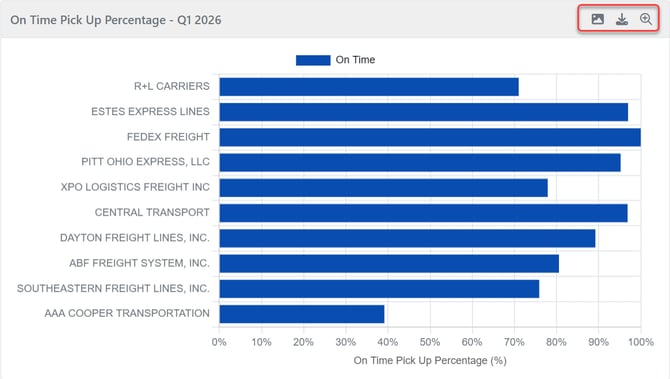
On-Time Pick Up Percentage
Shows the percentage of pickup (Origin) stops completed on time during the selected period.
On-Time Logic (Pickup / Origin)
A pickup stop is considered On-Time if any of the following are true:
-
ActualArrivalDateTime is missing
-
The stop is assumed On-Time.
-
-
ActualArrivalDateTime exists and is on or before the first available deadline, evaluated in the following priority order:
-
AppointmentEndDateTime -
AppointmentReadyDateTime -
ScheduledCloseDateTime -
ScheduledReadyDateTime
-
-
No appointment or scheduled deadline exists
-
If none of the above date fields are populated, the stop is assumed On-Time.
-
Not On-Time
A pickup stop is considered Not On-Time only when:
-
ActualArrivalDateTimeexists and -
at least one applicable deadline exists and
-
ActualArrivalDateTimeis after the applicable deadline.
Note: Early arrivals are not evaluated. On-time determination only compares arrival time to the applicable end/ready timestamp.
On-Time Delivery Percentage
Shows the percentage of delivery (Destination) stops completed on time.
On-Time logic
-
Delivery = Destination
-
Uses the same rules as Pickup, applied to delivery stops
Volume & Financial Metrics
Carriers by Shipment Volume
Breaks down total shipment volume by carrier.
-
Segmented by shipment type:
-
LTL
-
Truckload
-
Domestic
-
International
-
Other
-
-
Helps identify high-usage carriers and modal mix
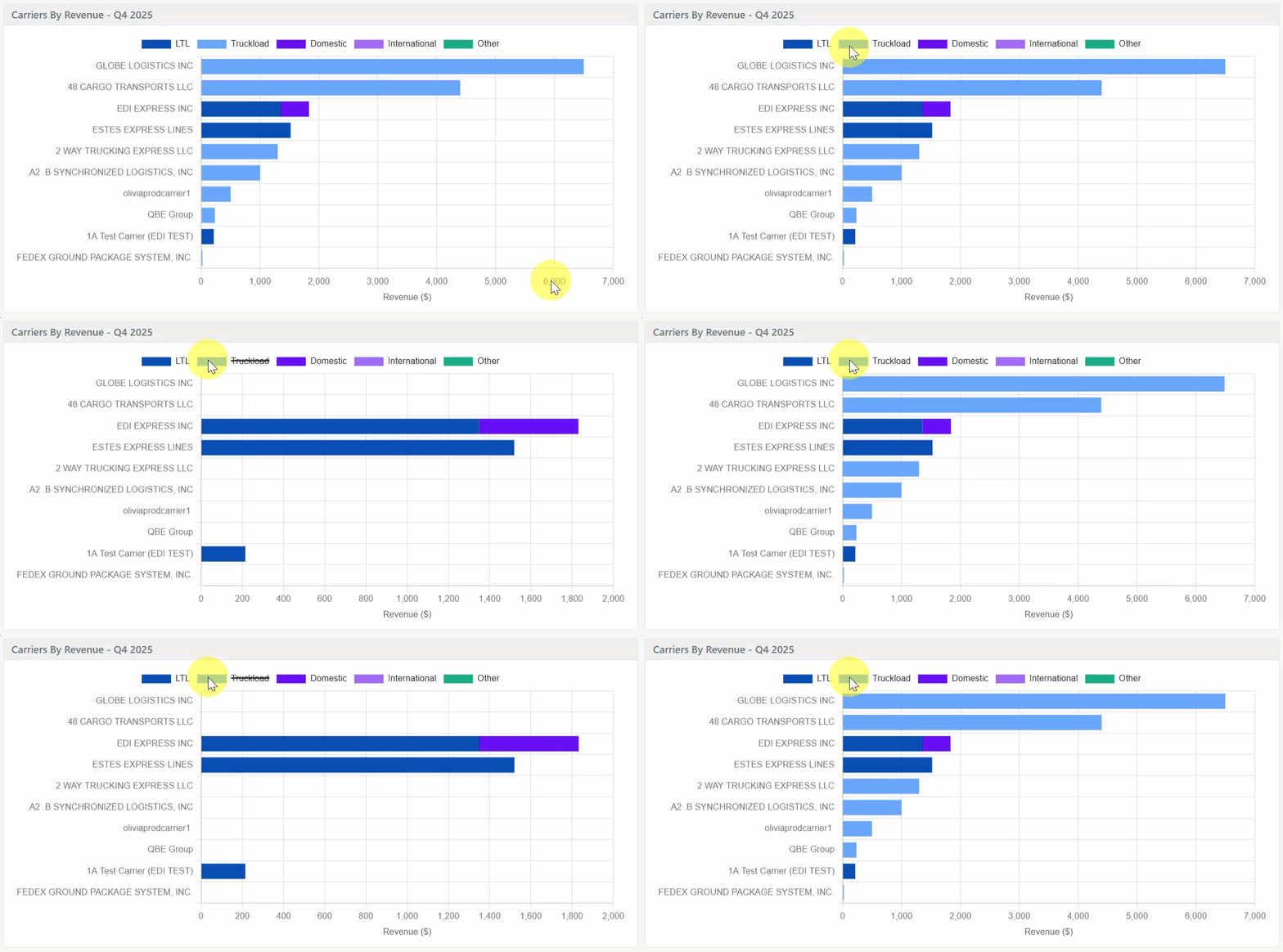
Carriers by Revenue
Displays total revenue generated by each carrier for the selected period.
-
Helpful in understanding carrier spend concentration
-
Helps identify top revenue-driving carriers
Carriers by Weight
Shows total shipped weight by carrier.
-
Useful for operational planning and capacity analysis
-
Highlights carriers handling heavier or higher-density freight
Carriers by Margin
Displays margin contribution by carrier.
-
Helps identify the most profitable carrier relationships
-
Useful for contract negotiations and optimization efforts
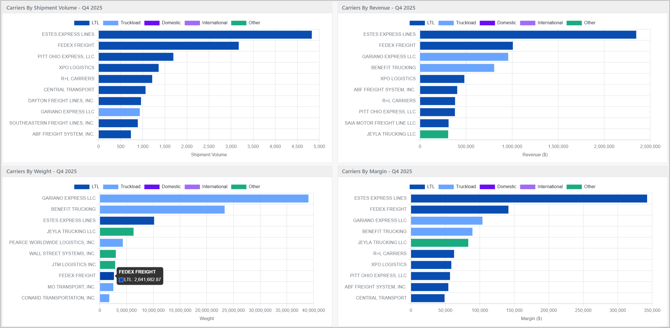
Use the shipment type options in the chart legend to toggle each shipment type on or off in the report.
How to Use This Page
-
Compare carrier performance across reliability, volume, and profitability
-
Identify top-performing and underperforming carriers
-
Support carrier negotiations with data-driven insights
-
Monitor trends over time by changing the reporting period
Each card includes options to download the chart as an image, export the data to Excel (up to 10,000 records), and zoom in for a closer view. Use the buttons at the top right of the card to access these features.