![TAI_LOGO_CMYK Option 1.2-03.jpg]](https://learn.tai-software.com/hs-fs/hubfs/TAI_LOGO_CMYK%20Option%201.2-03.jpg?height=40&name=TAI_LOGO_CMYK%20Option%201.2-03.jpg)

Table of Contents
- Integration Setup
- Starting Container Tracking on a Shipment
- What to Expect After Tracking Starts
- Mapping Status & Event Updates (Alerts)
- Automatic Reference Number Updates
- What This Integration Does Not Do
Integration Setup
- Add OpenTrack as an Integration Source:
- OpenTrack Username, password, and API Key are required.
- Register Webhooks (One-Time Setup)
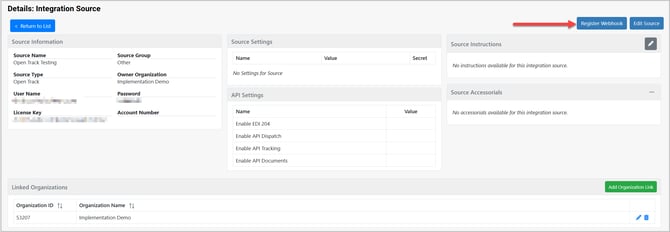
Inside the OpenTrack Integration Source, you’ll see a button called Register Webhook:
Click this once. This allows OpenTrack to send shipment updates back into the TMS.
You’ll see a green confirmation message when it’s ready.
Starting Container Tracking on a Shipment
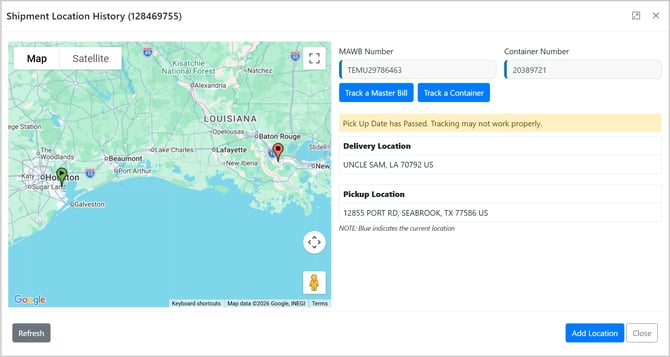
Once the integration is set up, you can turn on tracking from:
-
The Shipment Location History page, or
-
The Check Call modal
You will see a new button labeled "Start Container Tracking."
Information you must have on the shipment before you can start tracking:
-
Container Number
-
Master Bill Number (MAWB)
What happens when you click “Start Container Tracking”
The TMS will send the container details to OpenTrack. If OpenTrack accepts the request:
✔️ You get a green success message
✔️ The TMS creates a tracking record behind the scenes
✔️ OpenTrack begins monitoring the container
If something goes wrong:
❌ You get a red error message explaining that tracking could not be started.
-
Import shipments: The MAWB number and container number are both required.
-
Export shipments: Only the MAWB number is required.
What to Expect After Tracking Starts
After a container is registered, OpenTrack will automatically begin sending updates to the TMS, and it will update the shipment automatically with Location Updates.
These appear in your Shipment Location History, just like driver tracking.- Examples:
-
-
Container arrived at the rail terminal
-
Container moved to an off-dock location
-
Container is at the port of discharge
-
Last known coordinates (if provided)
-
Mapping Status & Event Updates (Alerts)
Once a container is being tracked, OpenTrack continuously sends milestone updates to the TMS.
These updates reflect important events such as vessel arrivals, rail movements, discharges, holds, and empty returns.
The TMS can convert these updates into Shipment Alerts, giving your team clear, easy-to-understand notifications about each major step in the container’s journey.
Below is the complete set of OpenTrack milestone statuses you may choose to enable or map:
| DISCOVERING |
| DISCOVERED |
| NOT_FOUND |
| EMPTY_OUTGATED |
| FULL_INGATED_AT_ORIGIN_RAIL_FACILITY |
| LOADED_ON_RAIL_AT_ORIGIN |
| DEPARTED_ON_RAIL_FROM_ORIGIN |
| ARRIVED_AT_ORIGIN_PORT_RAIL_FACILITY |
| UNLOADED_FROM_RAIL_AT_ORIGIN_PORT |
| FULL_INGATED |
| LOADED_ON_BARGE_AT_ORIGIN |
| BARGE_DEPARTED_FROM_ORIGIN |
| BARGE_BERTHED_AT_ORIGIN_PORT |
| DISCHARGED_FROM_BARGE_AT_ORIGIN_PORT |
| LOADED |
| VESSEL_DEPARTED |
| VESSEL_ARRIVED_AT_TRANSSHIPMENT_PORT |
| VESSEL_BERTHED_AT_TRANSSHIPMENT_PORT |
| DISCHARGED_AT_TRANSSHIPMENT_PORT |
| LOADED_AT_TRANSSHIPMENT_PORT |
| VESSEL_DEPARTED_FROM_TRANSSHIPMENT_PORT |
| VESSEL_ARRIVED |
| VESSEL_BERTHED |
| DISCHARGED |
| LOADED_ON_BARGE_AT_DESTINATION_PORT |
| BARGE_DEPARTED_FROM_DESTINATION_PORT |
| BARGE_BERTHED_AT_DESTINATION |
| DISCHARGED_FROM_BARGE_AT_DESTINATION |
| AVAILABLE |
| FULL_OUTGATED |
| FULL_INGATED_TO_RAIL_FACILITY |
| LOADED_ON_RAIL |
| DEPARTED_ON_RAIL |
| ARRIVED_AT_RAIL_FACILITY |
| UNLOADED_FROM_RAIL |
| AVAILABLE_AT_RAIL_FACILITY |
| FULL_OUTGATED_FROM_RAIL_FACILITY |
| FULL_INGATED_TO_OFFDOCK_FACILITY |
| AVAILABLE_AT_OFFDOCK_FACILITY |
| FULL_OUTGATED_FROM_OFFDOCK_FACILITY |
| FULL_DROPPED_OFF_AT_TRUCKER_YARD |
| FULL_PICKED_UP_FROM_TRUCKER_YARD |
| DELIVERED |
| EMPTY_READY_FOR_PICKUP |
| EMPTY_PICKED_UP_FOR_RETURN |
| EMPTY_DROPPED_OFF_AT_TRUCKER_YARD |
| EMPTY_PICKED_UP_FROM_TRUCKER_YARD |
| EMPTY_RETURNED |
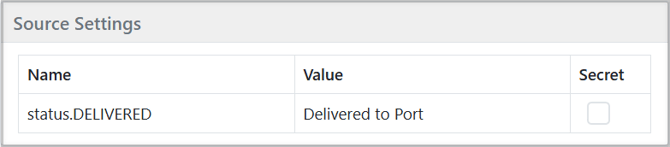
To map these to alerts, you will need to create a source setting using the format "status.xxxxx", add it to the OpenTrack Integration source, and then use the list above to configure the specific alerts you want for each status.
Automatic Reference Number Updates
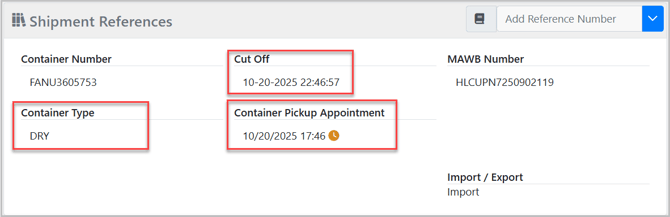
OpenTrack also fills in many helpful fields on your shipment, such as:
Rail & Off-Dock Milestones
-
Arrived at Rail Facility (date)
-
Rail Facility (date)
-
Available at Off-Dock Facility (date)
Container Identity & Properties
-
Container Number (string)
-
Master Bill Number (MAWB Number) (string)
-
Container Type (string)
-
Gross Weight (string)
-
Seal Number (string)
-
Steamship Line (string)
-
Trade Type (Import / Export) (string)
Chassis & Appointments
-
Chassis Number (string)
-
Container Delivery Appointment (date)
-
Container Pickup Appointment (date)
Port, Terminal & Berthing Information
- Origin Port (string)
- Destination Port (string)
- Terminal at Origin Port (string)
- Terminal at Destination Port (string)
- Berthing (date/time)
- Yard Location (string)
- Last Known Location (string)
Itinerary & Scheduling Dates
- ETA at Terminal (date/time)
- ETD from Origin (date/time)
- Rail Early Return Date (date/time)
- Rail Cutoff (date/time)
- Early Return Date (date/time)
- Cutoff Date (date)
- Shipping Instruction Cutoff (date/time)
Hold Information
(These may come from OpenTrack’s "holds" array)
-
Customs Holds (string)
-
Terminal Holds (string)
-
USDA Holds (string)
-
Line Holds (string)
-
Container Holds (string)
(general holds that are NOT Terminal, USDA, Line, or Customs)
Hold reference numbers will be created with a value of "Hold." Once the hold is cleared, the reference number will be removed.

Last Free Day & Cutoff Dates
-
Last Free Day (date/time)
-
Last Free Day – Rail (date/time)
-
Last Free Day – Detention (date/time)
-
Line Last Free Day (date/time)
-
Earliest Return Date (date/time)
-
Cut Off (date)
-
Perdiem Start Date (date/time)
(= detentionLastFreeDay + 1 day)
Import / Export Milestones
Mapped from OpenTrack timeline events:
-
Discharged Date (date/time)
-
Full Ingate Date (date/time)
-
Full Outgate Date (date/time)
-
Empty Outgated Date (date/time)
-
Empty Returned Date (date/time)
Demurrage & Detention
-
Demurrage Incurred (currency)
-
Demurrage Incurred – Rail (currency)
-
Demurrage Owed (currency)
-
Demurrage Owed – Rail (currency)
Tracking Link
-
Carrier Tracking Link (Link)
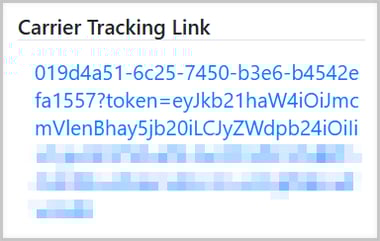
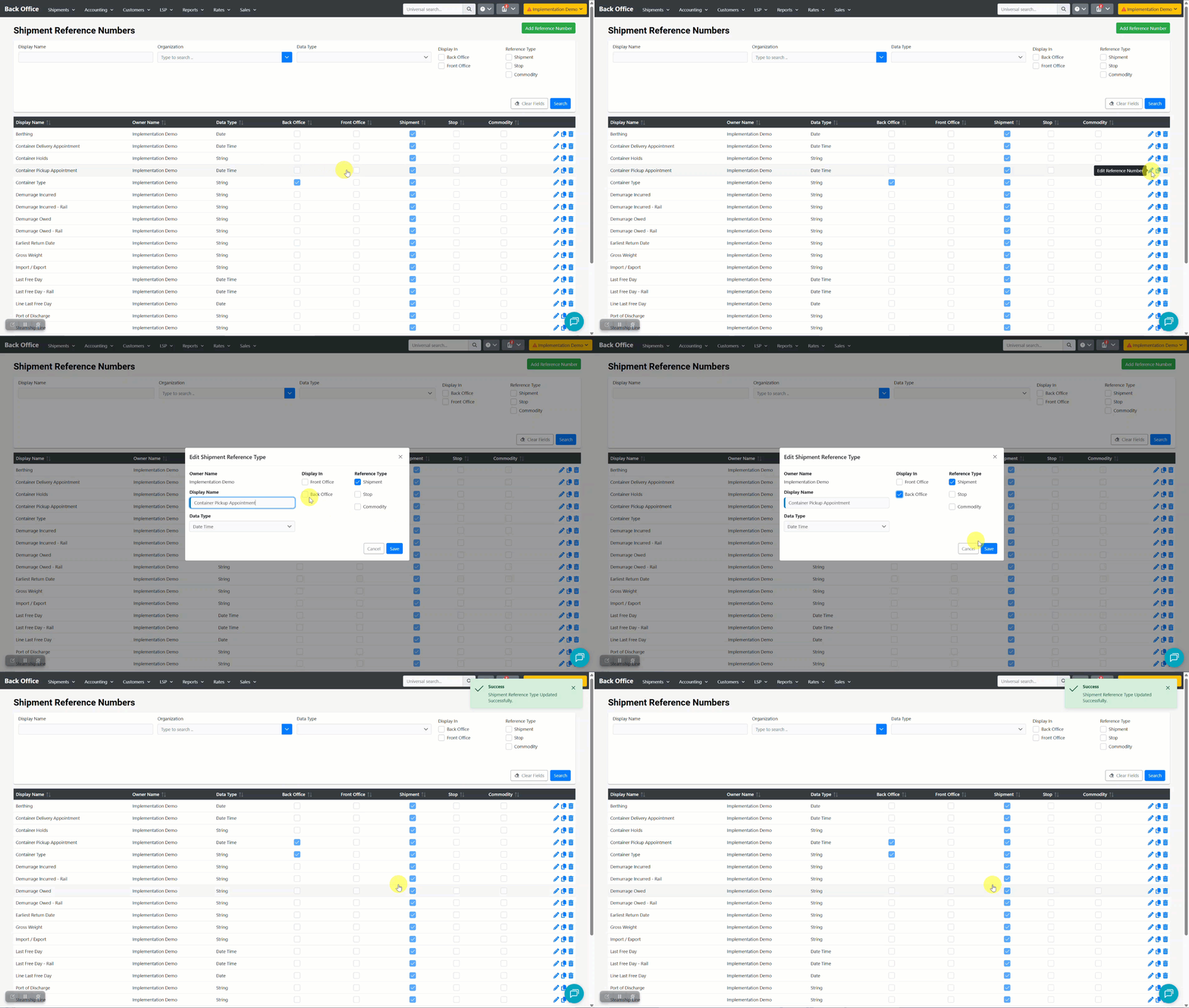
After the first successful tracking update, the system will automatically create these reference numbers. However, you must enable them manually from the Shipment Reference Numbers page under the LSP tab.
What This Integration Does Not Do
To set expectations:
❌ It does not update shipment status (Delivered, In Transit, etc.)
❌ It does not replace load tracking providers like MacroPoint
✔️ It works in addition to your existing tracking tools
OpenTrack only handles container milestones and visibility, not driver movement.