![TAI_LOGO_CMYK Option 1.2-03.jpg]](https://learn.tai-software.com/hs-fs/hubfs/TAI_LOGO_CMYK%20Option%201.2-03.jpg?height=40&name=TAI_LOGO_CMYK%20Option%201.2-03.jpg)
⚠️ Security Notice
This article applies only to users authenticating with a basic username and password.
Password-based authentication is significantly less secure than Single Sign-On (SSO) and increases your organization’s exposure to credential theft, brute-force attacks, phishing, and password reuse vulnerabilities.
We strongly recommend migrating to SSO authentication to reduce security risk, improve account protection, and enforce centralized access controls.
Learn more about enabling SSO here: https://learn.tai-software.com/knowledge/sso
Continuing to use basic password authentication means your organization assumes the inherent risks associated with password-based security.
- Password-based authentication is used
- The password has not been updated in over 3 months
- The account is older than 3 months
OR
- The account remains active
- Password-based authentication is disabled
Password Reset Process
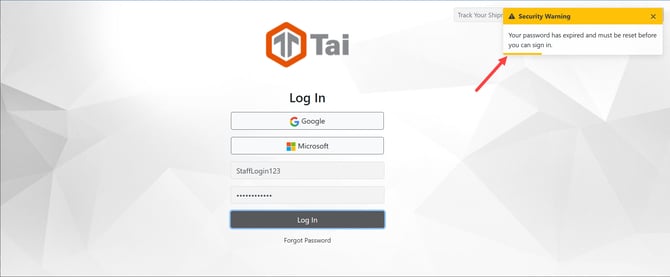
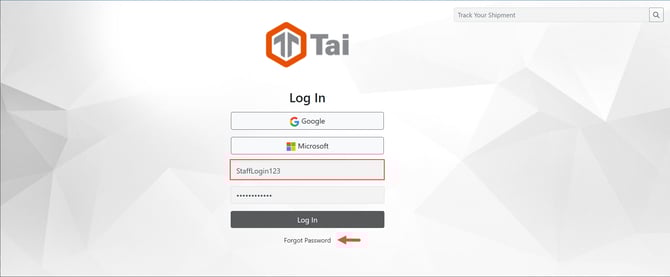
To initiate the password reset process, click on the forgot password link. Make sure to copy the login for the next step.
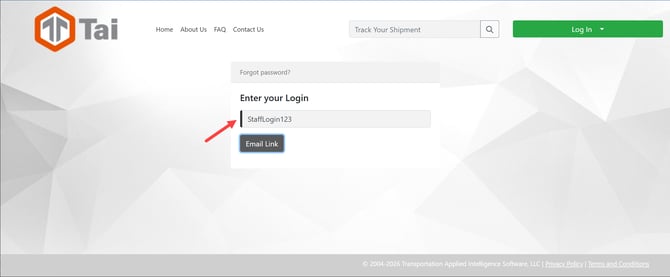
Paste the login from the previous step into the Login field and click the Email Link button:
A confirmation message will be displayed to the email associated with the account: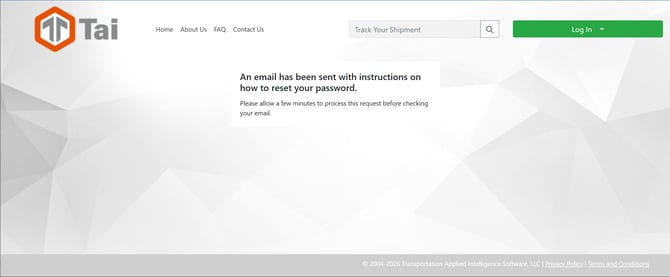
If you experience any issues or error messages following the steps above, please contact support with screenshots of the messages displayed.
Support@tai-software.com