![TAI_LOGO_CMYK Option 1.2-03.jpg]](https://learn.tai-software.com/hs-fs/hubfs/TAI_LOGO_CMYK%20Option%201.2-03.jpg?height=40&name=TAI_LOGO_CMYK%20Option%201.2-03.jpg)
Business Objective
- Give accounting teams visibility into every invoice, bill, invoice payment, and bill payment that has been synced (or failed to sync) to an external accounting system such as QuickBooks Online.
- Reduce support tickets by letting users self-diagnose sync failures with the exact error message returned by the accounting partner, then retry or clear the record without involving engineering.
- Protect month-end close by surfacing Pending and Failed records at a glance and allowing selective re-sync rather than forcing a full bulk replay.
- Preserve a complete audit log of sync attempts, amounts, and reference numbers so discrepancies between the TMS and the accounting system can be reconciled line-by-line.
User Guide
Accessing the page
Go to Accounting and select Accounting Sync History. This page requires the Accounting Sync role; users without the role will be redirected to the sign-in page.
Tabs
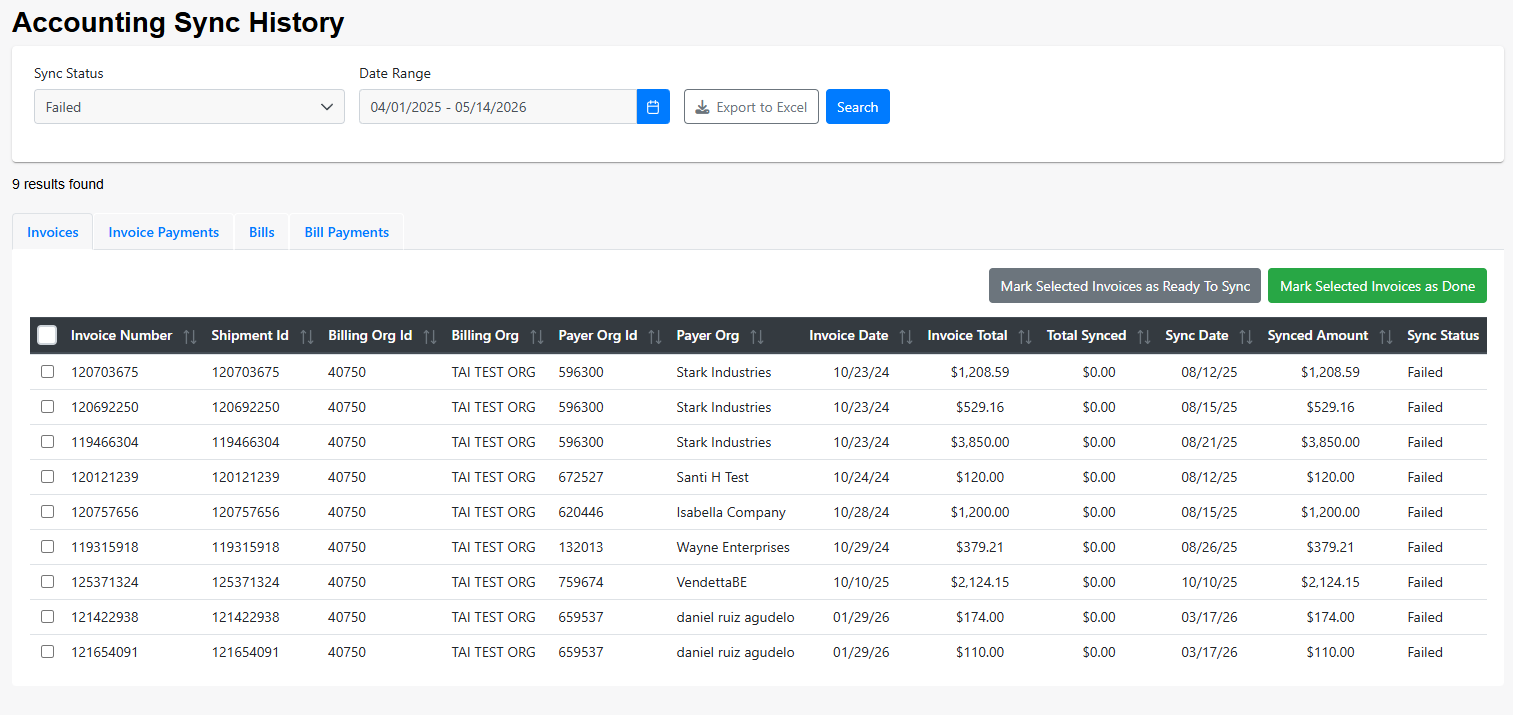
The page is organized into four tabs, one per entity that syncs to external accounting systems:
- Invoices
- Invoice Payments
- Bills
- Bill Payments
Filters
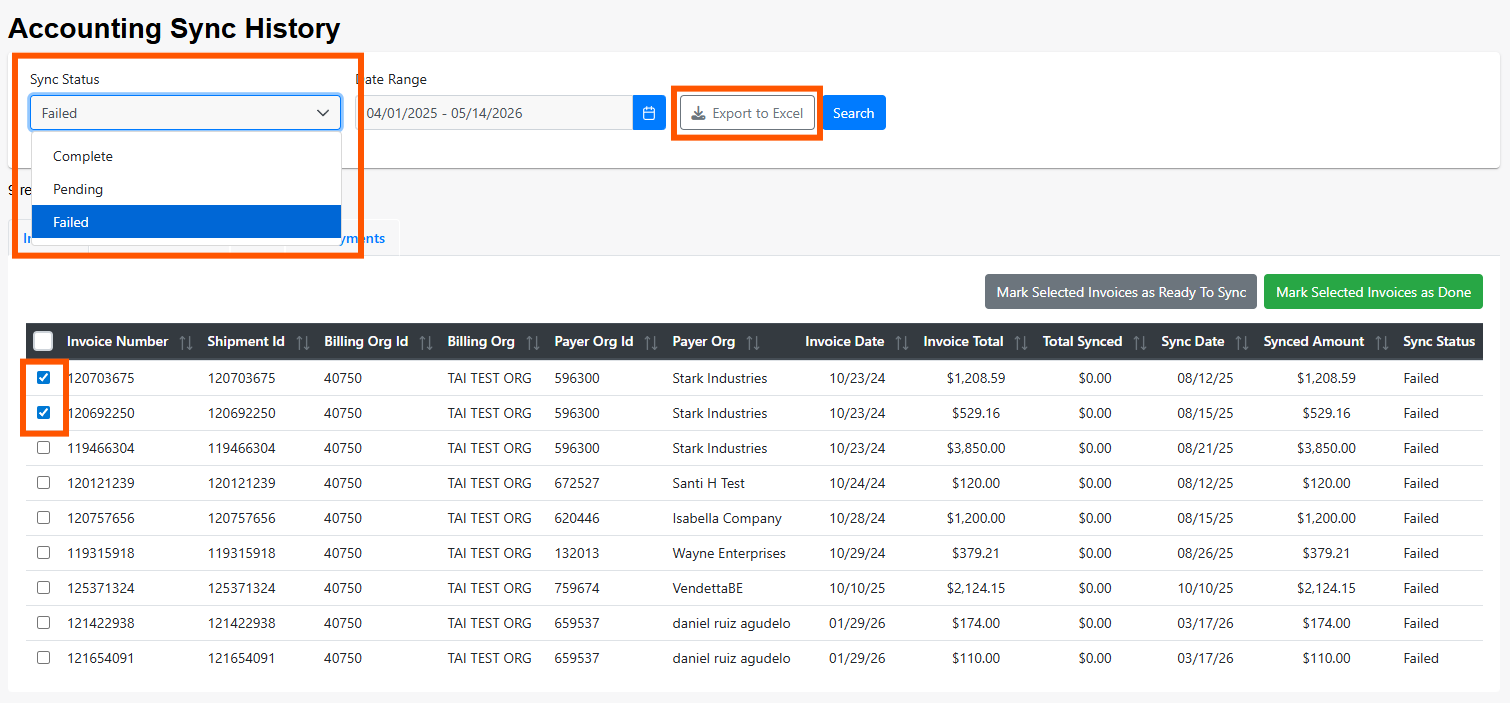
- Sync Status. Defaults to Failed. Also supports Complete and Pending. When Pending is selected the date range is disabled, since pending records have not yet attempted to sync. Status values: Pending (0), Complete (1), Failed (2).
- Date Range. Defaults to a one-month window starting today. Controls which sync attempts are included.
Results
Each row shows the record’s key fields (for example, invoice/bill number, amount, payer and billing organizations, shipment ID where applicable) alongside the external sync details: sync date, status, reference number returned by the external system, synced amount, and the error message (when the sync failed).
Available actions
- Select one or many rows using the row checkbox or the Select All control.
- Update Sync Status. Move selected records to a new status (for example, mark a failing record as Complete after it has been reconciled manually in the external system, or push a Pending record back for a fresh attempt).
- Export to Excel. Download all results currently shown on the active tab. The export is hidden for users with the Hide Export To Excel role.
Technical Information
- The external sync status values that appear on a record are Complete, Failed, and Pending. These reflect the outcome of the last sync attempt for that record, not the TMS-side accounting status (Ready, Approved, and so on).
- Invoices and Bills rows include a “Total vs. Synced” comparison so that partial sync issues (where the TMS amount differs from what was written to the accounting system) can be spotted without opening each record.
- This page does not push data to the accounting system on its own; it reads the outcomes of sync jobs performed elsewhere. Changing a status here only updates the TMS-side record so future sync jobs can pick it up appropriately.
Troubleshooting checklist when records fail to sync:
- Confirm the external accounting connection is still authorized (tokens expire; check the accounting source settings).
- Read the error message on the row; many failures are due to missing customer, vendor, or GL account mappings on the external side.
- For invoice or bill amount mismatches, compare the TMS-side Total against the Synced Total on the row and reconcile charge lines if needed.
- For repeated Pending records that never attempt sync, confirm the record is in a syncable TMS status (Invoice must be created, Bill must be approved, and so on).
- After correcting the external system, update the TMS sync status so the record is retried or closed.